In use · private
Running a long case without losing the paper trail
A year-long, paper-heavy case across several organisations, kept straight with AI doing the admin and me making every call.
- ~150
- documents and reports
- ~200
- email threads filed
- 0
- messages sent by AI
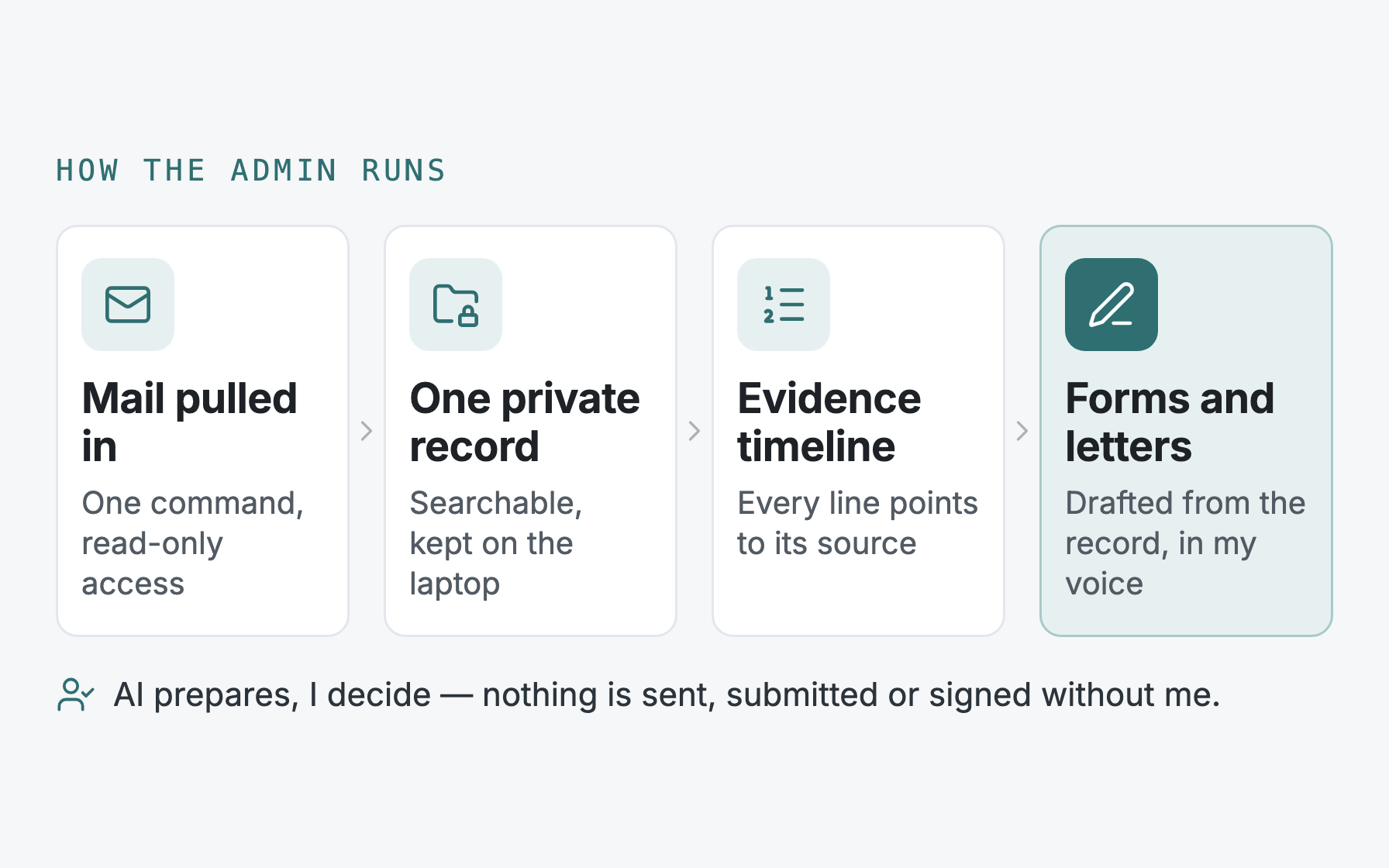
Some situations come with a paper trail that never stops growing. Mine is a personal case that has run for over a year across several organisations: a public body, a handful of professionals and private assessors. Every one of them writes, asks for something, or sends a report. Assessments are reissued with corrections. Forms come with deadlines. Each meeting starts with someone asking what happened when.
I'm describing how the admin is run, not the case. The record itself is stored only on my laptop, so no names, dates or details appear here. The working method is the part that carries over to a business.
What it handles
- Mail comes in on one command. A read-only connection to one labelled slice of my email pulls in each relevant thread and its attachments, then files them into the record. Around 200 threads so far. It can read; it cannot send, delete or change anything.
- One record, searchable in plain English. Around 150 documents and reports alongside the email, sorted into a few plain categories (reports, correspondence, meeting notes, working drafts). I can ask what did the last report recommend? and get the answer with the source shown, not a summary from memory.
- A timeline built from evidence. The chronology separates what a professional documented from what was observed first-hand, and every line points back to its source. It's been reissued as the case moved on, and each version is kept.
- Formal paperwork completed, not just drafted. Long application forms went through several drafts, built from the record and reviewed before submission. A separate copy of exactly what was submitted is kept, so later letters quote what was actually sent.
- Letters in my own voice. Messages to professionals are drafted from what is on record, in the tone I actually write in, and handed to me to edit.
The tooling
Nothing here is exotic. It's a handful of ordinary parts, joined with care.
- Email pull: rules, not AI. A small script uses Google's read-only Gmail permission. It decides what belongs in the record with plain rules: anything from an approved list of organisations comes in, my own emails come in only when the subject is tagged, anything ambiguous is held for me to review, and everything else is left alone. A dry run shows the list before anything is filed. Attachments are saved next to the email they came with.
- Turning documents into text. Word files, PDFs and the emails themselves are converted to plain text, with standard open-source readers for each format. The originals are kept untouched alongside, so every answer can be checked against the real document.
- A local search index. The text is split into passages and turned into embeddings, a numerical fingerprint of meaning, so a search finds what was recommended even when the report says advised. The index is an embedded database (LanceDB) stored as files on the laptop. Each passage is fingerprinted, so a re-run only processes what's new or changed.
- A guard in the code, not a promise. Before writing the record or the index, the tool checks whether the destination is inside a version-controlled folder, and refuses if it is. Private material can't end up somewhere it might be uploaded by mistake.
- Claude as the assistant on top. I work in Claude Code. A dedicated assistant searches the record, reads the full source document when several matches point to it, and then answers or drafts in my voice. It's told that text from the record is evidence, never instructions.
- Drafts land in Gmail as drafts. For replies, the assistant creates a draft in the right thread with the right people copied in. Sending is always my click.
A typical errand
A professional asks for the key reports. The system finds them, and notices that one report was reissued with a correction, so it picks the corrected version. It flags that the official copy of another is password-locked, which would leave the reader stuck, and offers the unlocked copy instead. It drafts the covering email in the existing thread, copying in the right person, and stops. I check it, attach the files and press send. No wrong version goes out.
The rules that make it safe
- Private stays local. The record and the search index are stored on my laptop and never committed or uploaded. Reply drafts go into Gmail, where the original emails already live. The code underneath holds no personal details at all.
- Honest about what does leave. Passages of text are sent to the AI providers' APIs to build the index and to answer a question. That's processing under the providers' API terms, not a copy kept in a cloud folder. It's worth knowing, and it's a choice to make with your eyes open.
- AI prepares, I decide. It drafts, checks versions and flags problems. By rule it never sends, submits or signs anything; the email pull is read-only by permission, and sending is always my click.
- Other people's documents are evidence, not instructions. Much of the record was written by organisations. The system treats their text as what was said, never as something to act on, so a letter can't quietly change what I'm asking for.
Why it's here
Most small businesses have a version of this: a claim, a dispute, a contract, a planning application, a staff matter. It runs for months, the documents pile up across inboxes, and the one person who knows the history is the bottleneck. This is that problem handled with a private record, an evidence-based timeline and drafts you approve. The engine underneath is Knowledge Inbox OS; this is what it's like to live with day to day.